
Licence upgrade: The base version is £180+VAT pa per site for self-implementation (August 2026 price, check for latest price with your account manager). Specific development requests or set up will be quoted separately. |
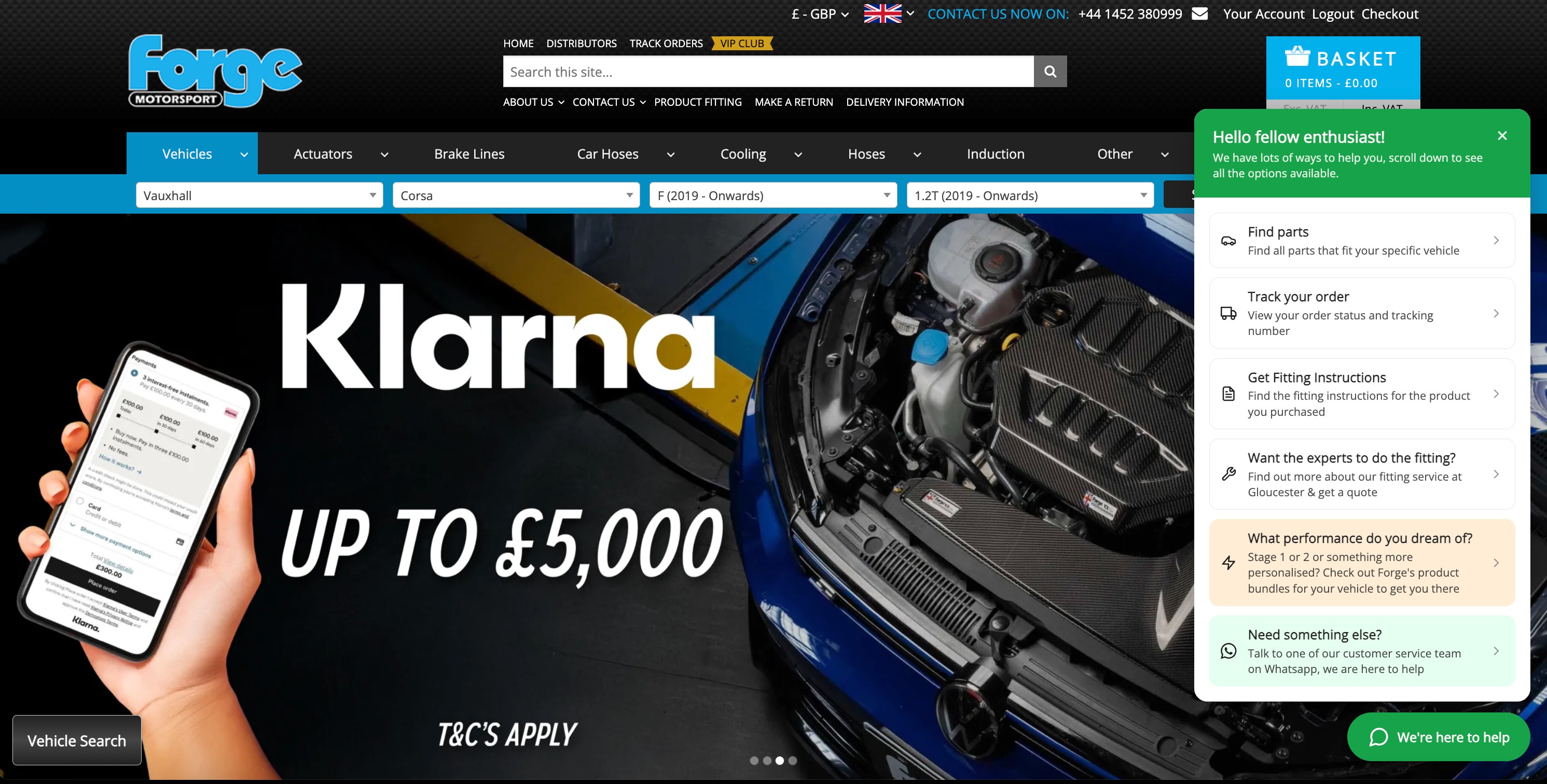
Here are a few examples of it in use as (a) pure customer service assistant and (b) customer service with a push to increase Average Order Value and increase conversion with fitment certainty checks.
- Check your orders - sends customers to a new page (below) where they can see their order details or login for full details
- Delivery timescales - information to assure customers of your delivery promise
- Profile Heights - a page to ensure fitment certainty
- Answers to common question - links to a FAQ page
- Returns & refunds - information to give customers peace of mind
- Contact us - reassurance customers can get in touch by different methods too
How To Set Up Your Unchat Assistant
- Once enabled by your account manager, go into Admin > Unchat
- Set the Status to Preview - Admins only to see it on the website as you build it, else leave at Disabled and use the preview pane to see it progress as you change settings etc
- Set your alignment, launcher options and colours to suit
- Add blocks with actions such as Link to another page or Text to display and use the up and down arrows to sort the order in which they are shown
- When changes are made or blocks are added, make sure to click Save to preserve your changes
- When you are happy with the final result and ready for it to go live on the website, set the status to Enabled - Live for all
Unchat panel height setting
The Unchat support widget now has a Panel height setting, allowing you to control how tall the panel grows before its blocks begin scrolling.
Configure it under Admin > Unchat > Appearance & text > Panel height. The value controls the maximum height of the scrolling blocks area as a percentage of the screen height, from 20 to 90. It defaults to 55, matching the previous behaviour, so existing sites require no changes.
Unchat text blocks can contain Markdown content revealed on click
Unchat text blocks can contain full Markdown content that expands inside the panel when a visitor clicks the block. This is useful for answering common questions such as returns information or opening hours without sending visitors to another page.
Go to Admin > Unchat, edit a block and set its type to Text. A new Text content field appears beneath the alignment options. It accepts Markdown including bold text, links and bullet lists, and the live preview shows how the expanded block will look.
Leave the field empty and the block behaves as it did previously.
Image blocks for the Unchat support widget
You can now add image blocks to the Unchat support widget, allowing promotional banners, delivery notices or seasonal messages to be displayed as images. Images can either be spaced like other blocks or run edge to edge across the panel.
Go to Admin > Unchat once Unchat has been enabled for the site in Superadmin settings. Add a block and choose Image as the block type.
Upload a PNG, JPG, GIF or WebP image up to 512KB. Around 720 × 240px works best for a short, wide image. The Image description field is used as the image's alt text for screen readers and also labels the block in the admin list.
The Width setting offers Spaced like a block or Edge to edge. Uploaded images are stored in userfiles/images/sys/unchat/.
Choose the icon shown on the Unchat launcher
You can now choose the icon displayed on the Unchat launcher button from the same icon set used by panel blocks. This allows the widget to represent a help desk, delivery tracker, parts finder or another purpose rather than always using a speech bubble.
Go to Admin > Unchat once Unchat has been enabled in the Superadmin settings. In the Launcher card, the new Icon row shows the current icon and its name. Click Change to open the icon grid, select an icon and click Done to close it.
The live preview updates as you make a selection, and the icon saves with the rest of the Unchat settings. Existing sites continue to use the message-circle speech bubble until it is changed.
Unchat nudges: proactive messages above the support widget
The Unchat support widget can now start the conversation with short nudge messages that appear above the launcher after a visitor has spent a few seconds on the page. Nudges can include an optional image. Each visitor sees at most one nudge per page and will not see the same message twice.
Configure them under Admin > Online Retailing > Unchat in the new Nudges card below Blocks. Unchat must first be enabled in the Superadmin site settings.
Add one or more messages, optionally upload an image, reorder them and enable or disable individual messages. Text is optional when an image is supplied, so a nudge can consist entirely of an image. If no messages are enabled, nudges are not shown.
The delay slider controls how long a visitor spends on the page before a nudge appears, with a default of 10 seconds.
Keep showing until dismissed is off by default. When enabled, messages continue appearing from page to page until the visitor clicks one or closes it, instead of each message appearing once.
The live preview displays nudges whenever the panel is closed, moving through the available messages each time it is closed.
The Unchat widget itself still needs at least one enabled block before it renders, so nudges will not appear on a site that only has nudge messages configured. The nudge's only action is to open the panel.